

It’s not about the tools. It’s about who runs them. There are the tools you need to run your business successfully.
Most people think tools run a remote business. They believe that if they install the right apps, their team will work better. That idea sounds logical, but it is wrong. Tools support work, but people drive results.
Many business owners set up Slack, Trello, and Google Drive, yet they still feel overwhelmed. Tasks slip. Messages get missed. Deadlines move without warning. The problem is not the tools. The problem is that no one owns the system.
Productivity expert David Allen said, “You can do anything, but not everything.” That statement explains the real issue. You need structure, but you also need someone to manage that structure every day. Without ownership, tools become noise instead of support.
A remote business scales when systems run without you. That only happens when someone takes responsibility for how those tools are used. The goal is not more software. The goal is less friction.

The Real Problem: Tools Without Ownership
Most remote businesses do not fail because they lack tools. They fail because no one drives the work forward. Everyone can see tasks, but no one ensures they get done.
You might have project boards, chat channels, and shared files. Still, you check everything yourself because you do not trust the system. You follow up. You remind people. You carry the load.
A study by McKinsey found that employees spend almost 20% of their time searching for information. That is one full day each week lost to poor systems. That loss slows growth and drains energy.
A strong system solves this problem. It creates clarity and removes confusion. More importantly, someone owns that system and keeps it running.

Communication Tools: Slack Is Not the Solution
Clear Communication Needs Structure
Tools like Slack help teams talk. They create fast communication and quick updates. But they also create constant noise if no one manages the flow.
Without structure, Slack becomes overwhelming. Messages pile up. Important updates get buried. You spend your day checking notifications instead of making decisions.
A virtual assistant changes how communication works. They filter messages, group updates, and highlight what matters. They remove the noise so you can focus.
For example, instead of reading dozens of messages, you receive one clear summary. Your assistant might say, “Three issues resolved, one needs your input, and one deadline moved.” That saves time and reduces stress.
Project Management Tools: Visibility Does Not Mean Progress
Someone Must Drive the Work
Tools like Trello, Asana, and ClickUp show tasks and deadlines. They help teams see what needs to be done. But they do not move work forward on their own.
Many business owners check boards every day. They follow up on tasks and chase updates. They become the project manager instead of the decision maker.
A support team member can take ownership of the system. They update tasks, follow up with the team, and make sure work moves forward. They ensure that processes are followed every time.
Management expert Peter Drucker said, “What gets measured gets managed.” When someone tracks the work, it gets done. When no one owns it, it slows down.
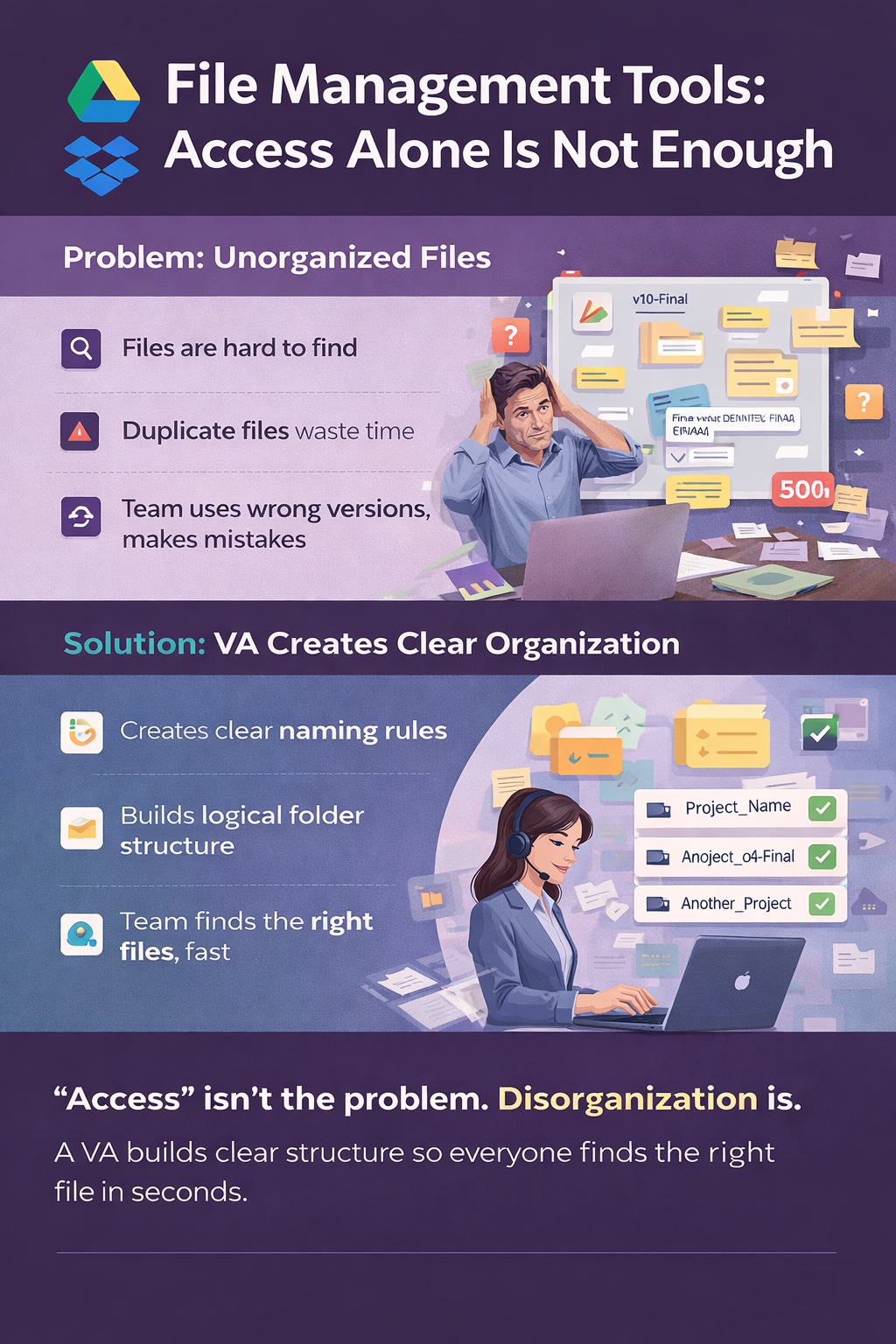
File Management Tools: Access Alone Is Not Enough
Structure Saves Hours Every Week
Google Drive and Dropbox make it easy to store and share files. They give everyone access to documents. But access without structure creates confusion.
Many teams struggle with messy folders and duplicate files. People waste time searching. They use the wrong version. Mistakes happen.
A structured system solves this problem. Clear naming rules and organized folders save time. Everyone knows where to find what they need.
For example, instead of guessing which file is correct, your team uses a clear system. The latest version always sits in the right place. Work becomes faster and more reliable.

Workflow Automation Tools: Automation Needs Oversight
Systems Still Need Human Checks
Automation tools like Zapier and Make connect your apps. They move data between systems and reduce manual work. They save time when they work well.
But automation can break without warning. A small error can stop leads from entering your system. It can delay invoices or block important steps.
Someone must monitor these workflows. They need to check that everything runs as expected. They must fix issues before they cause problems.
For example, if a lead form fails, someone must catch it quickly. That quick action protects opportunities. Automation helps, but people keep it reliable.
KPI Tracking: Data Must Lead to Action
Numbers Only Matter If You Use Them
Many businesses track data. They measure leads, sales, and performance. They build dashboards and reports.
But data alone does not drive growth. Without review, numbers become noise. You see information, but you do not act on it.
A clear reporting system solves this problem. Someone tracks key metrics and highlights what matters. They show trends and flag issues early.
For example, instead of looking at a full dashboard, you see a simple report. It might say, “Leads dropped 15% this week. Main source declined.” That insight helps you act fast.
Asynchronous Work: The Key to Remote Scale
Remote teams often work in different time zones. Waiting for replies slows progress. Meetings take time and break focus.
Asynchronous work solves this problem. It allows work to move forward without constant communication. People update tasks and systems instead of waiting.
A structured system supports this way of working. Clear updates replace meetings. Written processes guide the work.
Companies like GitLab and Basecamp use this model successfully. They rely on systems, not constant conversation. That approach helps teams move faster.
The Real Infrastructure: Systems, Not Tools
Tools alone do not build a business. Systems do. A system includes clear steps, defined roles, and consistent execution.
Standard Operating Procedures, or SOPs, play a key role. They explain how tasks should be done. They remove guesswork and create consistency.
But SOPs only work when someone follows them. Someone must apply them every day. That is how systems stay strong.
For example, instead of explaining tasks again and again, you document the process once. The system guides the work. Results stay consistent.

The Strategic Shift: From Managing Tasks to Leading the Business
Most business owners stay stuck in the details. They check messages, follow up on tasks, and solve small problems. They stay busy but do not move forward.
A strong system changes this. It removes the need for constant oversight. It allows you to focus on decisions, not tasks.
Instead of managing work, you guide direction. Instead of reacting, you plan. That shift creates growth.
Tim Ferriss said, “Focus on being productive instead of busy.” Systems help you stay productive. They give you control without stress.
A Simple Test: Does Your Business Run Without You?
Ask yourself one question. What happens if you step away for a week?
Does work continue smoothly? Do tasks move forward? Do clients get responses? Or does everything slow down?
If everything depends on you, you do not have a system. You have a workload. That model does not scale.
A strong system runs without constant input. It keeps moving even when you are not involved. That is how real growth happens.
Final Thought: Tools Support. Systems Scale.
Tools matter, but they are not the advantage. The advantage is how you use them. The right system turns tools into results.
When someone owns the system, work moves forward. When no one owns it, everything slows down. That is the difference.
If you want to scale, stop asking, “What tool do I need next?”
Start asking, “Who is managing this system?”
Build a Remote System That Works Without You
If your tools feel like more work instead of less, the issue is not the software. The issue is how the system runs. The right support can take control of your processes, manage your tools, and keep everything moving without constant input from you.
At Aristo Sourcing, we connect businesses with experienced remote professionals who act as your operational support layer. They help manage workflows, maintain systems, and protect your time so you can focus on growth.
Contact Aristo Sourcing and book a call to build a remote business that runs smoothly, even when you are not involved.
Do I need a virtual assistant to manage my remote business tool stack?
A virtual assistant doesn’t just use your remote business tools; they own the workflows inside them, which is what makes the tools actually function. Slack, Asana, and ClickUpdon’tt create accountability on their own. A VA who updates project statuses, enforces deadlines, and keeps communication organised is what turns a tool stack into a working system. The tool provides the structure; the VA provides the discipline that makes it hold.
What is the difference between Google Workspace and Microsoft 365 for remote teams?
The difference between Google Workspace and Microsoft 365 for remote teams comes down to ecosystem and complexity. Google Workspace Gmail, Drive, Docs, and Meet are faster to adopt and integrate with most third-party tools out of the box. Microsoft 365 Outlook, SharePoint, Teams, and OneDrive suit businesses with existing Microsoft infrastructure or enterprise compliance requirements. For virtual assistant access, both platforms support granular permissions so a VA can be granted exactly the access their role requires without compromising account security. Aristo VAs are proficient in both environments.
How do I onboard a virtual assistant to my existing remote tool stack?
To onboard a virtual assistant to your remote tool stack, follow these three steps:
- Grant access first: Use role-based or delegate permissions within Google Workspace or Microsoft 365 rather than sharing passwords
- Provide context: Record a short Loom walkthrough of how you currently use each tool, so your VA understands the why, not just the what
- Document the process: Write out the specific workflows you want owned: not “manage Trello” but “move cards to Done when the client signs off, and send me a daily summary.
Businesses that skip steps two and three find the tools being used differently than expected; that’s a process gap, not a VA gap.
Which tools work best for asynchronous communication with a remote virtual assistant?
The best tools for asynchronous communication with a remote virtual assistant are:
- Loom for nuanced video instructions that would take ten messages to explain in text
- Notion or Google Docs for shared SOPs, reference material, and ongoing documentation
- Asana, ClickUp, or Trello for structured task assignments, deadlines, and progress tracking
- Slack for urgent flags only, not primary communication
Slack as the main communication channel creates a real-time dependency that undermines the asynchronous advantage. Use it sparingly and keep structured work inside your task management tool.
How do I know if my remote business tool stack has too many tools?
Your remote business tool stack has too many tools if you answer yes to any of the following:
- Two or more tools serve the same function (e.g., both Slack and Teams for internal communication)
- Removing a tool from the stack would require a meeting to figure out what to replace it with
- A tool exists in your stack, but no one on the team owns it or updates it consistently
- Data about the same project lives in more than two places
The root cause of tool bloat is reactive adoption, adding a new tool for each problem without retiring what it overlaps with. The fix is assigning a single owner to each tool, which is one of the most effective tasks to delegate to a virtual assistant.
Can a virtual assistant manage Zapier or Make automations?
Yes, a virtual assistant can manage Zapier and make automation, and it is one of the highest-leverage tasks you can delegate. A VA with workflow automation experience can:
- Build new Zaps or make scenarios connecting your existing tools
- Maintain and update automations as your processes change
- Troubleshoot broken workflows before they affect operations
- Document automation logic so the systems aren’t dependent on one person
The prerequisite is documented logic, whichtriggers what, and what the expected output looks like. Automations built without documentation become fragile and create the exact single-point-of-failure problem remote businesses are trying to avoid.
How do remote businesses keep data and tools secure when working with virtual assistants?
Remote businesses keep tools and data secure when working with virtual assistants by controlling access architecture rather than relying on trust alone. The key steps are:
- Using role-based permissions in Google Workspace or Microsoft 365 gives VAs access only to what their role requires
- Use a shared credential manager like 1Password Teams or LastPass VAs access tools without ever seeing the underlying password.
- Enable two-factor authentication on all core platforms before granting any external access.
- Require a signed NDA before onboarding begins at Aristo; every VA signs a confidentiality agreement as standard before any client engagement starts.
Security with remote support staff is a setup decision, not an ongoing risk. Get the permissions right from day one.
What tools do virtual assistants typically use to track and report their work?
Virtual assistants typically use the following tools to track and report their work to business owners:
- Google Docs or Notion — for daily or weekly written summaries shared in a consistent format
- Asana, ClickUp, or Trello — for task completion visibility within the project management tool the business already uses
- Toggl or Clockify — for time tracking when hourly accountability is required
- Loom — for video end-of-day updates, when written summaries don’t capture enough context
The format matters less than the rhythm. A predictable reporting cadence, not a complex dashboard, is what creates genuine accountability. Establishing this structure during onboarding is one of the first recommendations Aristo makes to every new client.

Jacques