

A YouTube Video Editor turns raw footage into content that keeps viewers watching, and hiring one as a virtual team member has become one of the fastest ways for growing businesses to scale video production without scaling headcount. Whether you came here searching for editing software or a guide to hiring a remote specialist, this breakdown covers both. It shows why growing channels quickly outgrow software DIY in favor of dedicated human talent.
A YouTube Video Editor is also known as a video editing virtual assistant, a remote professional who handles post-production work specifically for YouTube content: trimming footage, structuring pacing, adding graphics, and preparing final exports for upload. That distinction matters, because “YouTube video editor” gets searched two very different ways: people looking to hire a person, and people looking for a browser-based tool. Confusing the two wastes a business owner’s time and, for a company that places virtual staff, actively works against the point of the search.
What Is a YouTube Video Editor (and Why Your Business Needs One)
A YouTube Video Editor takes unedited footage and shapes it into a finished video built to hold audience attention: cutting dead air, correcting color, balancing audio, adding titles and graphics, and exporting in the format YouTube’s algorithm favors. Businesses hire a YouTube Video Editor to solve a specific bottleneck: filming content is often the easy part; editing it consistently, at a professional standard, on a repeatable schedule, is where most in-house teams stall out.
Video carries real weight in a marketing strategy now, a core channel rather than an experiment. 91% of businesses use video marketing in 2026, and video is considered integral to the marketing strategy of 93% of marketers, according to Wyzowl’s 2026 State of Video Marketing report. Businesses using video also grow revenue 49% faster than those that don’t, and landing pages with embedded video see conversion rates of 4.8% compared to 2.9% without video, an 86% lift. Those numbers explain why “how do I get more video content out consistently” has become a real operational question.
Should You Hire a Virtual YouTube Video Editor or Use an Online Editor?
Choosing between a web-based app and a dedicated editor comes down to three factors: video volume, technical complexity, and the dollar value of your time.
When an Online Video Editor Is Enough
Users seek easy editing solutions when budget or timeline doesn’t allow for a dedicated hire, and for occasional, simple content, that’s a reasonable call. YouTube’s built-in editor inside YouTube Studio handles basic trims, blurring, and adding end screens directly in the browser, useful for quick fixes on already-uploaded content; assembling a full video from raw footage needs more than a browser tool can offer. Free tools like CapCut and DaVinci Resolve’s free tier cover more ground, offering templates, transitions, and even professional-grade color correction without a subscription.
When You Need a Real YouTube Video Editor Person
Once video becomes a weekly commitment, the calculation changes. A YouTube Video Editor person, a real human handling the creative judgment calls that software can’t automate, becomes necessary when a business needs consistent pacing decisions, brand-consistent graphics, retention-focused structure, and someone who can take rough footage and independently produce a finished, on-brand video without step-by-step direction every time. Software executes instructions. A skilled editor makes the hundred small decisions per video that separate a video people finish watching from one they click away from in the first fifteen seconds.
How to Hire a Virtual YouTube Video Editor: Step-by-Step
Hiring a YouTube Video Editor as a virtual team member follows a different process than hiring for an in-house creative role, mainly because the working relationship is entirely remote and asynchronous.
- Define the scope. Decide whether you need long-form editing, Shorts repurposing, thumbnail design, or all three. Scope determines both cost and the skill set you’re hiring for.
- Review a portfolio for retention-focused work, not just polish. A beautifully shot reel means less than a video that demonstrably holds viewers past the first thirty seconds. Ask for retention graphs from past work if available.
- Test with a paid trial project. A single real video, using your actual footage, reveals more about fit than any interview question.
- Set up the file transfer and asset workflow before the first project starts. This step gets skipped constantly and causes most of the early friction in a new working relationship.
- Establish a revision process with a clear number of rounds included. Open-ended revisions are the single most common source of scope creep in editor relationships.
Aristo Sourcing recruits vetted Virtual Video Editors specifically for this kind of placement, screening for retention-focused editing skill and software fluency before a candidate ever reaches a client.
What a Virtual YouTube Video Editor Actually Does
A YouTube Video Editor’s day-to-day work spans more technical ground than most business owners expect going in.
Retention Editing and Hook Framing
The first fifteen seconds of a video determine whether most viewers stay. Retention editing means structuring the opening specifically to front-load the payoff or the most compelling moment, rather than building up to it. Hook framing applies the same logic to the very first frame and first line of dialogue, designed to stop a scroll rather than ease into the topic gradually.
Jump Cuts and Pacing
Jump cuts remove dead space, pauses, filler words, and restarts without disrupting the flow of speech. A raw fifteen-minute interview often becomes a tight eight-minute video once an editor removes everything that doesn’t earn its place on screen.
Audio Leveling and Sound Design
Inconsistent audio levels between clips are one of the fastest ways to lose a viewer, even when the visual content is strong. Audio leveling normalizes volume across every clip, while sound design layers in music, sound effects, and silence intentionally to support pacing rather than distract from it.
Color Grading
Color grading adjusts tone, contrast, and saturation across a video for visual consistency, especially important when footage comes from multiple cameras or shooting sessions with different lighting conditions.
Thumbnail Design
Thumbnails function as the click-through decision point before a viewer ever sees the video itself. A skilled editor treats thumbnail design as a distinct skill from video editing, built around contrast, facial expression, and text legibility at small sizes.
YouTube Shorts Repurposing
Long-form content rarely converts directly into Shorts without rework. Repurposing means identifying the strongest thirty-to-sixty-second segment, reformatting for vertical viewing, and adding captions optimized for sound-off viewing, since a large share of Shorts get watched muted.
B-Roll Integration
B-roll, supplementary footage layered over primary dialogue, keeps a video visually engaging during long spoken segments. Sourcing and integrating B-roll well is one of the clearer signals of an experienced editor versus a beginner.
Advanced Editing Techniques for YouTube Videos
Beyond the fundamentals, experienced editors apply techniques that separate professional-feeling content from amateur output.
Motion Graphics and Lower Thirds
Motion graphics, animated text, callouts, and transitions add visual interest and reinforce key points without relying on the presenter to verbally repeat everything. Lower thirds (the name/title graphics that appear near the bottom of the frame) establish credibility for interview or expert-driven content.
Pattern Interrupts
Pattern interrupts- a cut to a different camera angle, a graphic, or a change in pacing- reset viewer attention every few seconds throughout a video, a technique borrowed directly from retention-focused editing on high-performing channels.
Multi-Camera Timeline Assembly
For interviews or podcast-style content shot with multiple cameras, timeline assembly means syncing and cutting between angles to match the natural rhythm of conversation. This technically demanding task separates professional editors from casual ones.
Proxy Editing for Remote Post-Production
When raw footage is shot in 4K or higher, editing directly off that footage over a remote connection is often impractical; files are large, and playback lags on anything but a strong local setup. Proxy editing solves this: the editor works with smaller, lower-resolution copies of the footage for smooth, responsive editing, then relinks the finished timeline to the original high-resolution files for final export. This is standard practice for offshore post-production teams working across time zones and variable internet connections, and it’s worth asking any prospective virtual editor whether they build proxy workflows into large projects.
Audio-First Editing for Shorts
Because so much Shorts viewing happens without sound, editors increasingly build around captions and visual pacing first, treating audio as a secondary layer rather than the primary driver of the edit.
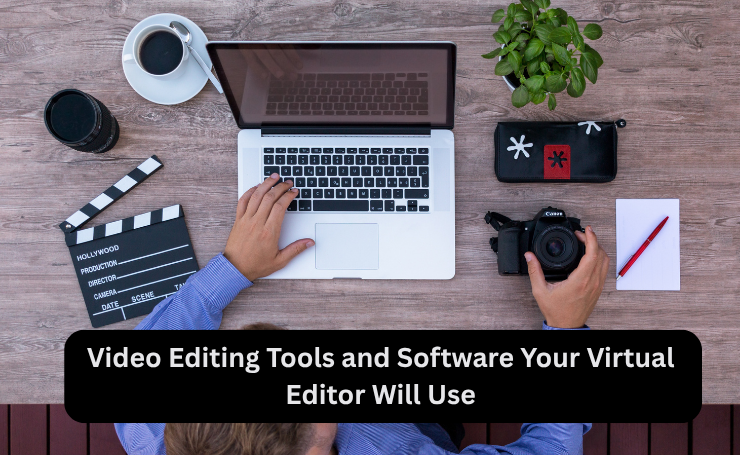
Video Editing Tools and Software Your Virtual Editor Will Use
A capable YouTube Video Editor offers expertise across video editing tools, matched to project complexity rather than defaulting to one option for everything. A Virtual Video Editor typically edits in Adobe Premiere Pro or DaVinci Resolve for long-form work, switching to lighter tools for faster turnaround formats.
Software Solutions for Professional Editing
Adobe Premiere Pro, DaVinci Resolve, and Final Cut Pro X remain the three most-used video editing tools among professional YouTube creators by overall market share. Adobe Premiere Pro leads among professionals for its multi-track timelines and industry-standard integrations. DaVinci Resolve stands out as the best free video editor for YouTube in 2026, with professional-grade color correction, multi-track editing, Fairlight audio tools, and watermark-free exports even on the free tier.
Choosing a Video Editor for PC
Most professional-grade video editing software runs as a video editor for PC or Mac desktop application rather than a mobile app. Desktop software handles large project files, multi-track timelines, and rendering far more reliably than a phone or tablet can.
Free vs. Paid Video Editor Downloads
A free YouTube video editor download, like DaVinci Resolve’s standard edition, covers most small-business needs. Paid tiers and subscriptions (Premiere Pro’s Creative Cloud plan, DaVinci Resolve Studio) unlock features like advanced noise reduction, multi-user collaboration, and higher-resolution export support, worth the cost once editing volume or complexity increases.
Online Editors and Video Creation Tools
For lighter workflows, an online video editor running entirely in the browser removes the need to install anything. CapCut has become the standout choice for YouTube Shorts specifically, free, optimized for vertical formats, and built with templates, auto-captions, and effects tailored to short-form content. Canva’s video tools serve a similar role for businesses that need quick, on-brand edits without a learning curve.
The Built-In YouTube Video Editor Online
YouTube Studio includes its own built-in YouTube video editor online, useful for basic post-upload fixes, trimming, blurring faces, and adding an end screen. Treating this tool as a full production solution, rather than a light editing patch, is one of the most common mistakes small businesses make when trying to DIY video content.
YouTube Create and the “YouTube Create for PC” Question
YouTube Create, YouTube’s own free mobile editing app, launched with built-in music, voiceover, and caption tools aimed at short-form creators. As of 2026, there is still no official YouTube Create desktop app; Google has kept it exclusive to mobile. That gap is exactly why “YouTube Create for PC” remains a common search: creators want the app’s simplicity on a bigger screen, and the only current workarounds involve running it through an Android emulator like BlueStacks or LDPlayer, which trades official support for desktop-sized editing.
Matching Tools to the Job
A YouTube Video Editor person worth hiring doesn’t default to one piece of software. Straightforward Shorts content might move fastest through a YouTube video editor app like CapCut. In contrast, a long-form, multi-camera video justifies the full timeline control of Premiere Pro or DaVinci Resolve. Part of what a business pays for when hiring a dedicated editor is exactly this judgment call, made per project.
Setting Up a Workflow With Your Virtual Video Editor
Workflow structure determines outcomes as much as an editor’s raw skill. Three things need to be in place before the first project starts.
File Transfer and Asset Management
Raw video files run large, often too large for email. Dropbox and Google Drive work for smaller projects; Frame.io, built specifically for video review and collaboration, handles larger productions better, with built-in timestamped commenting directly on the footage itself. Agreeing on one system upfront avoids the version-control mess of files scattered across three different platforms.
Building a Brand Kit
A brand kit- fonts, color codes, logo files, intro and outro templates, lower-third designs- gives an editor everything needed to produce consistent, on-brand output without asking for clarification on every project. Businesses that skip this step usually pay for it later in extra revision rounds.
Revision Management
A clear revision process- how many rounds are included, how feedback gets delivered (timestamped comments beat vague notes every time), and what counts as a major versus minor change- prevents the single most common source of friction in an editor relationship.
The ROI of Outsourcing YouTube Video Editing
The time math behind outsourcing is usually the most persuasive argument for business owners who’ve been editing their own content. A single well-produced YouTube video can take ten to fifteen hours to edit properly once you account for rough cuts, color correction, sound design, and thumbnail creation. These hours come directly out of time that could go toward running the business.
The revenue data reinforces the point further. Businesses using video grow revenue 49% faster, and 88% of video marketers say video has directly helped increase sales and leads. In that context, a YouTube Video Editor functions as production capacity: the resource that makes a video-driven marketing strategy sustainable week over week.
Example: Scaling Video Output With a Dedicated Editor
Picture a home services business posting one YouTube video a month, produced by the owner personally, each one costing an entire weekend to edit. After adding a dedicated virtual video editor, the weekly footage from a single two-hour batch shoot turned into four finished videos a month, with the owner’s involvement dropping to a short review call before each one went live. The shift wasn’t about filming more, editing capacity, not filming time or content ideas, had been capping output at one video a month.
Getting Started
If editing has become the bottleneck between filming content and actually publishing it, a dedicated person handling that step consistently solves it more reliably than another piece of software. Aristo Sourcing recruits vetted virtual YouTube video editors experienced across Premiere Pro, DaVinci Resolve, and CapCut, matched to your content volume and format needs. Schedule a discovery call to talk through what your channel needs and see candidates who already fit the brief.
Frequently Asked Questions
What is the best editor for editing YouTube videos?
For professional, long-form content, Adobe Premiere Pro and DaVinci Resolve lead by market share among YouTube creators. For Shorts and quick social cuts, CapCut is the most widely used free option.
How do I use the YouTube video editor?
YouTube’s built-in editor is accessed through YouTube Studio after uploading a video, under the “Editor” tab, where you can trim clips, blur sections, and add end screens directly in the browser.
What features are available in YouTube video editing tools?
Most tools offer trimming, transitions, color correction, audio mixing, text and graphic overlays, and export presets optimized for YouTube’s resolution and format requirements. Professional software adds multi-track timelines, motion graphics, and advanced color grading.
How many views on YouTube do you need to make $2,000 a month?
It depends heavily on niche and RPM (revenue per 1,000 views). At the 2026 median RPM of roughly $2.30 USD, that’s around 870,000 monthly views. Higher-RPM niches like finance can reach the same revenue with as few as 80,000–150,000 views.
What do YouTubers use to edit videos?
Professional creators most commonly use Adobe Premiere Pro, DaVinci Resolve, and Final Cut Pro X. Creators focused on Shorts and social content typically use CapCut, and beginners often start with free tools like iMovie or Canva.
How many views do I need to make $10,000 a month on YouTube?
Scaling the same RPM math, a channel at the median $2.30 RPM would need roughly 4.3 million monthly views. Higher-RPM niches like finance or tech can hit $10,000 USD with significantly fewer views, often under a million.
How much does it cost to hire a virtual YouTube video editor?
Video editor VAs sourced from the Philippines typically run $700 USD to $1,400 USD per month, scaling with experience and software proficiency (general editing versus specialized color grading or motion graphics work). On top of that, Aristo Sourcing’s placement runs either a one-time $1,999 USD direct-hire recruitment fee or a $400 USD per month subscription model, plus the VA’s salary.
Can a virtual video editor handle YouTube Shorts as well as long-form videos?
Yes, most professional video editors work across both formats. However, Shorts editing leans more heavily on fast pacing, captions, and vertical framing, while long-form editing prioritizes narrative structure and retention across a longer runtime.
