

A WordPress developer is a technical specialist who builds, optimizes, and maintains WordPress sites. Hence, they load fast, stay secure, and scale without breaking when you add new pages, plugins, or integrations.
If your site is tied to revenue (leads, bookings, ecommerce), the real question is not “Can I build this myself?” It is “What will slow performance, security risk, or downtime cost me?”

What a WordPress Developer Actually Does
A designer focuses on how your site looks. A WordPress developer focuses on how your site works.
Here is what developer work looks like in practice.
Performance and Core Web Vitals
A developer helps you improve Core Web Vitals and real-world speed by fixing the causes, not just installing another plugin.
- Reduce Largest Contentful Paint (LCP) by optimizing critical resources and images.
- Improve Interaction to Next Paint (INP) by reducing JavaScript overhead and plugin conflicts.
- Reduce Cumulative Layout Shift (CLS) by stabilizing fonts, images, and layout loading.
- Remove code bloat from themes and page builders that ship unnecessary scripts.
- Implement caching correctly (page cache, object cache) and tune CDN behavior.
Custom functionality beyond plugins
Most sites break or slow down because the stack becomes plugin soup. A developer can build the right parts custom, so you use fewer plugins and reduce long-term risk.
- Build custom post types and custom taxonomies for structured content
- Create custom templates and fields for scalable pages
- Develop Gutenberg blocks for reusable, fast page sections
- Use hooks and filters to extend WordPress cleanly
- Integrate payment providers, CRMs, booking tools, or email platforms using APIs
Integrations and modern WordPress builds
If you need WordPress to behave like a real system, not a blog, developers handle:
- REST API integrations (WordPress REST API and third-party services)
- Headless WordPress builds (WordPress as the CMS with a separate front end)
- Webhooks, automation, and data syncing
- Single sign-on or membership logic
- Multi-site setups and role-based access
Technical SEO foundations
A developer does not “do SEO” like writing content, but they remove technical barriers that prevent ranking.
- Fix crawl and index issues caused by theme or plugin output
- Improve site architecture and internal linking structures
- Implement schema markup safely and consistently
- Clean up duplicate pages, broken canonicals, and pagination issues
- Ensure the site is fast and stable enough to compete in search
Security hardening and maintenance
WordPress sites are attacked constantly. Security is not one plugin. It is a system.
- Update strategy for WordPress core, themes, and plugins without breaking production
- Malware cleanup and incident response
- Lock down WP-Admin, manage permissions, and reduce attack surface
- Set up backups, restore points, and monitoring
- Add a staging environment so changes are tested before going live
Developer workflow and reliability
Serious WordPress work is not “edit live and hope.”
- Use Git version control for safe change tracking and rollbacks
- Set up staging environments and deployment processes
- Use WP-CLI for faster, safer maintenance operations
- Audit logs, change logs, and documentation, so you are not dependent on one person.

Themes Are Not the Problem, Bloat Is
WordPress offers thousands of themes. The issue is that many themes and page builders load too much code, too many scripts, and too many design features you never use. That extra weight slows the site and makes troubleshooting harder.
A developer helps you:
- Choose a clean foundation
- Remove unnecessary theme features
- Replace heavy plugins with lighter alternatives or custom code
- Make the site faster without sacrificing layout or flexibility
The Business Impact of Hiring a WordPress Developer
Founders do not hire developers for nice code. They hire developers for outcomes.
Faster load time, better conversion
Speed affects everything: SEO, ad performance, and conversion rates. A developer improves load time by fixing bottlenecks in hosting configuration, asset loading, database queries, and plugin overhead.
Lower risk of downtime
Downtime costs money and trust. A developer reduces downtime with staging environments, controlled updates, monitoring, and better recovery plans.
Safer updates and fewer surprises
The wrong plugin update can break checkout, forms, or layouts. Developers reduce that risk with version control, testing, and rollback capability.
Cleaner stack, easier growth
A developer builds a site that can handle growth: more pages, more content types, more traffic, and more integrations without turning into a fragile mess.

Should You Hire a WordPress Developer?
Hire a developer when your site has a business risk or a business opportunity.
You should hire a developer if:
- Your site is slow, and you cannot consistently pass Core Web Vitals
- You rely on leads, paid ads, or e-commerce, and speed impacts conversion
- You have recurring plugin conflicts, errors, or random downtime
- You need custom functionality that plugins cannot deliver cleanly
- You are adding integrations (CRM, payment, booking, email, analytics)
- You need a safer workflow (staging, Git, rollbacks)
- You want ongoing maintenance without breaking the site every update cycle
You can delay hiring a developer if:
- You are launching an early MVP site with simple pages and forms
- You can use a lightweight theme and minimal plugins safely
- You have no integrations and no performance demands yet
- You are comfortable doing basic updates and backups consistently
The Simple Decision Framework
If your WordPress site directly affects revenue, treat development as a risk-control function.
Use this rule:
- If your WordPress site drives leads or sales, hire a developer when speed, security, or reliability becomes a constraint.
- If your WordPress site is set-and-forget, keep it lightweight and keep a developer available for maintenance and emergencies.
WordPress Developer vs Web Designer vs VA
- Web designer: focuses on layout, branding, and UI
- VA or content assistant: uploads content, formats pages, schedules posts, handles admin tasks
- WordPress developer: responsible for code, performance, integrations, security routines, and the technical foundation
Many businesses do best with a dedicated developer for ongoing technical work and a designer as needed for UI changes.
Questions to Ask Before You Hire
A good developer can explain trade-offs clearly and talk about systems, not buzzwords.
Ask these:
- How do you handle staging and deployments?
- Do you use Git version control?
- How do you diagnose performance issues? (LCP, INP, CLS, scripts, caching, hosting, database)
- What is your plugin policy? How do you prevent plugin overlap and conflicts?
- What is your security and update process? What is the rollback plan?
- How do you document changes and hand over work?
Common Deliverables You Can Expect
Depending on your needs, a WordPress developer might deliver:
- Speed and Core Web Vitals improvements with measurable before and after results
- Theme or builder cleanup to remove bloat
- Custom post types and templates for scalable content
- Custom Gutenberg blocks for reusable sections
- API integrations (CRM, payment, booking, email)
- Security hardening, backups, monitoring, and malware protection
- Ongoing maintenance plan with staging and change control
How Much Does a WordPress Developer Cost?
Pricing depends on whether you need a one-time build, a performance rescue, or ongoing maintenance.
Typical models:
- Project-based: best for a rebuild, migration, or specific feature
- Monthly maintenance: best for updates, security, and continuous improvements
- Dedicated developer: best for businesses with constant website work and integrations
The cheapest option is rarely the cheapest long-term if it creates technical debt.
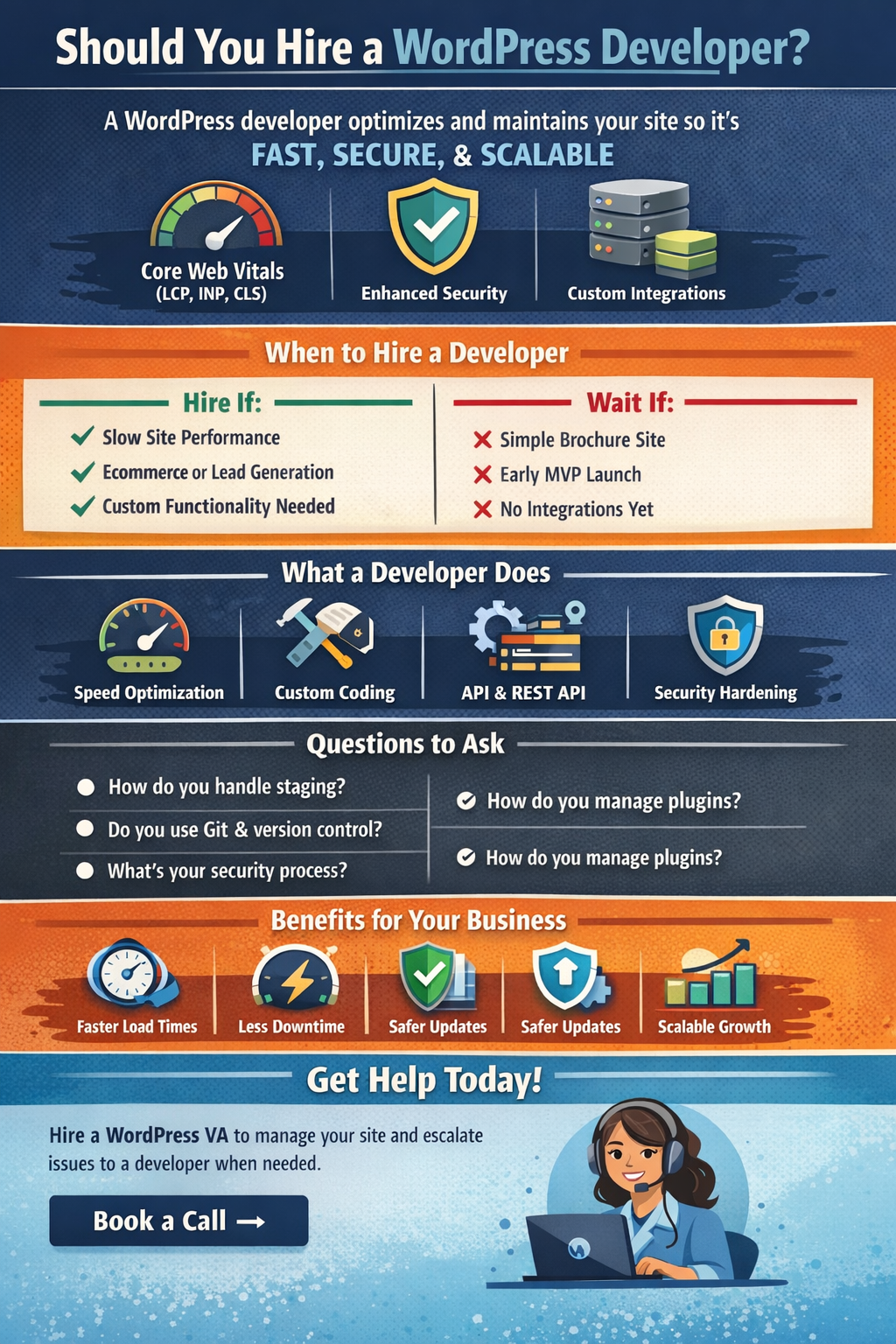
Hire a WordPress VA to Keep Your Site Fast, Updated, and Under Control
If your WordPress site needs consistent updates, clean publishing, basic troubleshooting, and routine maintenance tasks, a WordPress Virtual Assistant is the smartest first hire.
A WordPress VA can help you:
- Publish and format pages and blog posts (Gutenberg or your page builder)
- Compress and upload images, update metadata, and keep content consistent
- Update plugins and themes safely using a checklist and backup routine
- Monitor uptime, broken links, and basic site issues
- Manage simple on-page SEO tasks, internal links, and content updates
- Coordinate with a developer when changes require code or advanced fixes
This is the fastest way to keep your site healthy without paying developer rates for tasks that do not require a developer.
Book a call, and we will match you with a vetted WordPress VA, trained to follow SOPs, protect your site with safe update routines, and escalate technical work to a developer when needed.
