

Bookkeeping security is often framed as a trust issue, as if the only options are blind confidence or total lockdown. In reality, secure bookkeeping is a design problem: identity, access, evidence, and auditability. If your workflows are built properly, a virtual bookkeeping assistant can operate safely without having the keys to your entire financial house. The goal is simple: keep financial data useful for decision-making, but difficult to misuse.
Financial data is not just numbers, it is leverage. A clean general ledger, AR aging, AP schedules, payroll summaries, tax documents, and bank statements reveal margins, vendor dependency, customer concentration, and cash runway. If that data leaks or an account is compromised, attackers can monetize it quickly through fraud, extortion, or account takeover. IBM’s 2024 report put the average global cost of a data breach at USD 4.88 million, which is a reminder that security is a business risk, not an IT hobby.
The strongest approach combines technical controls with fiduciary and contractual safeguards. Permissions limit what someone can do, multi-factor authentication blocks easy compromises, and audit trails make activity reviewable. NDAs and confidentiality clauses clarify responsibility, handling standards, and consequences. The result is a system that does not rely on personality or constant supervision.
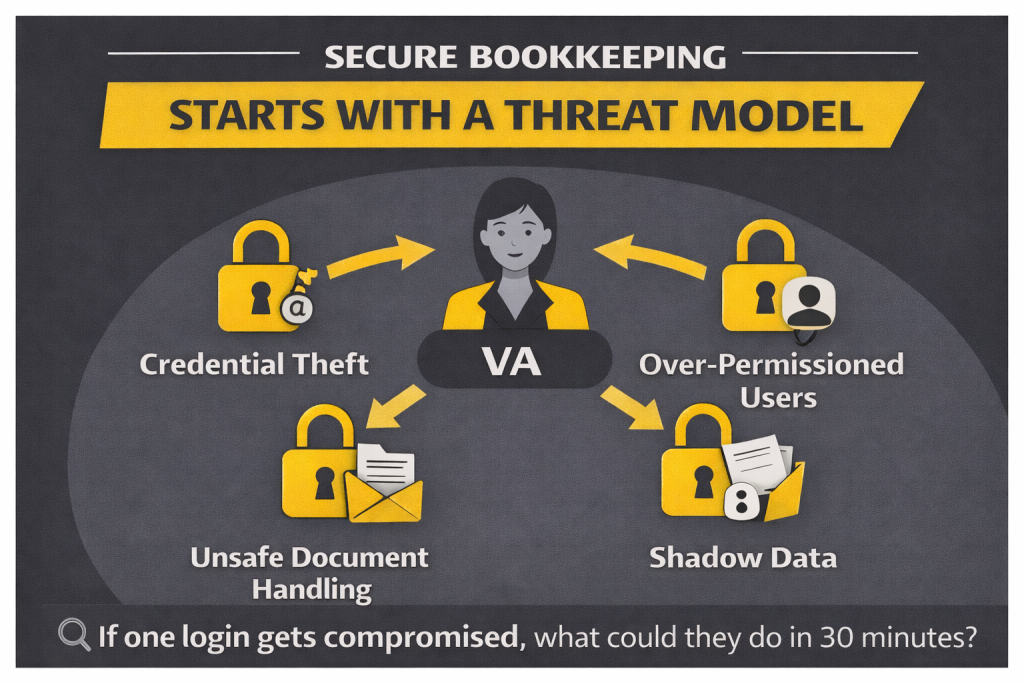
Start with a threat model, not a tool list
Most companies begin by choosing software, then trying to “be secure” inside it. A better start is a basic threat model that names the highest-probability failures. For bookkeeping, four problems appear again and again: credential theft, over-permissioned users, unsafe document handling, and “shadow data” spread across inboxes and personal drives. When you name these risks upfront, the rest of the security plan becomes obvious.
Credential theft is one of the most common entry points in breaches. Verizon’s 2024 DBIR lists “use of stolen credentials” as the top initial action at 24%. That matters because bookkeeping stacks often connect email, drive, banking PDFs, and accounting platforms. An attacker rarely needs to “hack” the accounting system if they can access stored bank statements and vendor documents sitting in shared folders.
Over-permissioning is the silent accelerant. When a VA is given admin rights “just to make it easier,” the blast radius becomes business-wide. Unsafe document handling is the slow leak: invoices forwarded, tax files shared by public links, payroll exports downloaded to personal devices. Shadow data turns your system of record into a set of personal habits, which is nearly impossible to audit later. If you want a practical framing question, ask: If one login were compromised today, what is the worst thing that could happen in the first 30 minutes?
Role-based access: make permissions match responsibilities
Role-based access control (RBAC) means access is granted to a role, not to a person. In bookkeeping, RBAC prevents the common mistake of giving someone full admin privileges because you are in a hurry. A virtual bookkeeping assistant should have only what they need to perform tasks like categorization, matching, reconciliation prep, and reporting. Anything that changes system control, bank connectivity, or payment authority should be restricted.
This is where naming specific roles helps. In QuickBooks Online, there is a meaningful difference between Company Admin and Standard User access. In many businesses, a VA can operate as a Standard User with constrained permissions, while the owner or accountant retains Company Admin. In Xero, the distinction between Adviser access and Standard access matters for control and auditability. In Sage, roles can be configured to limit who can manage users, change bank feeds, or edit sensitive settings.
These role boundaries are not bureaucratic. They are what make delegation safe at scale. If you build RBAC early, you can add more team members later without losing oversight. If you skip RBAC early, every new hire expands risk, and “security” becomes a constant negotiation.
Least privilege: reduce the blast radius
Least privilege is the principle that each user gets only the minimum level of access needed to do their job. This is not about distrust. It is about containment. If credentials are compromised, the attacker inherits that user’s permissions. If the user can export everything, invite new users, or edit bank details, the incident becomes far more severe.
NIST security frameworks emphasize controlling access and restricting privileges as a core practice for protecting systems and sensitive data. You can apply this without becoming a compliance specialist. Start with a list of required tasks, map them to the smallest set of permissions, and then implement that as your default template. If you need to grant elevated access for setup, make it time-limited and record why it was granted.
Least privilege also supports better accountability. When permissions are tight, mistakes surface clearly and fast. When permissions are broad, errors blend into the noise and become harder to correct. A secure bookkeeping system is one where you can answer, “Who did what, when, and why?” without guessing.
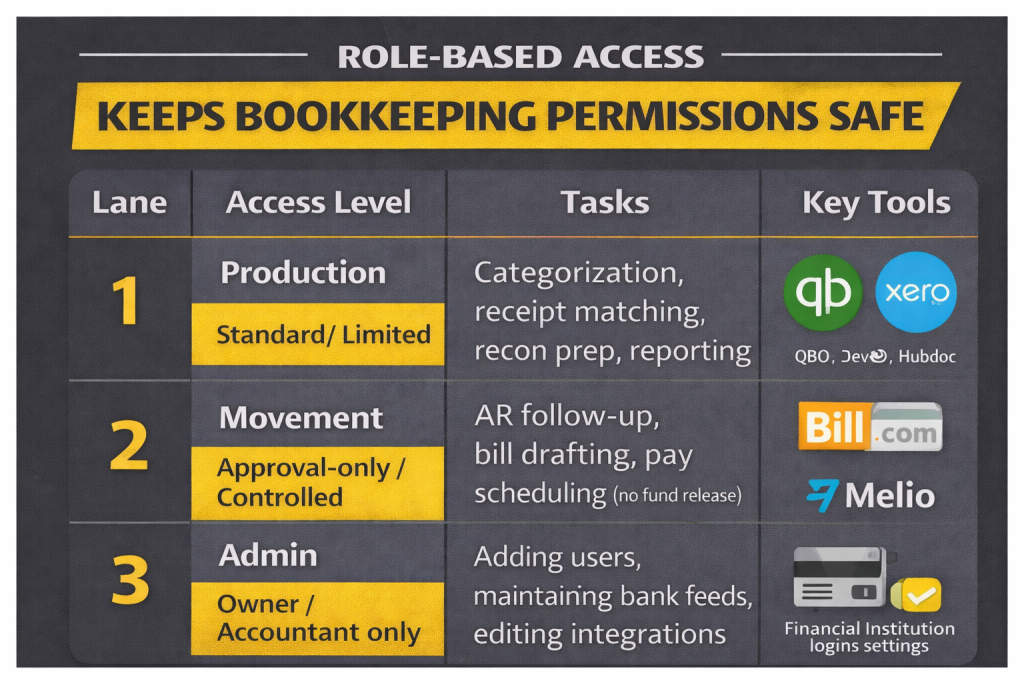
The lane system: a clean permission model for bookkeeping
| Lane | Access Level | Tasks | Key Tools |
| 1. Production | Standard / Limited | Categorization, receipt matching, reconciliations prep, reporting | QuickBooks Online, Xero, Dext, Hubdoc |
| 2. Movement | Approval-only / Controlled | AR follow-up, bill drafting, payment scheduling (not releasing funds) | Bill.com, Melio, accounting approvals |
| 3. Admin | Owner / Accountant only | Adding users, changing bank feeds, editing integrations, bank portal access | Financial institution logins, admin settings |
This table is the difference between “We hired help” and “We built a system.” A VA can be highly productive in Lane 1 and partially useful in Lane 2, without ever needing Lane 3 access.
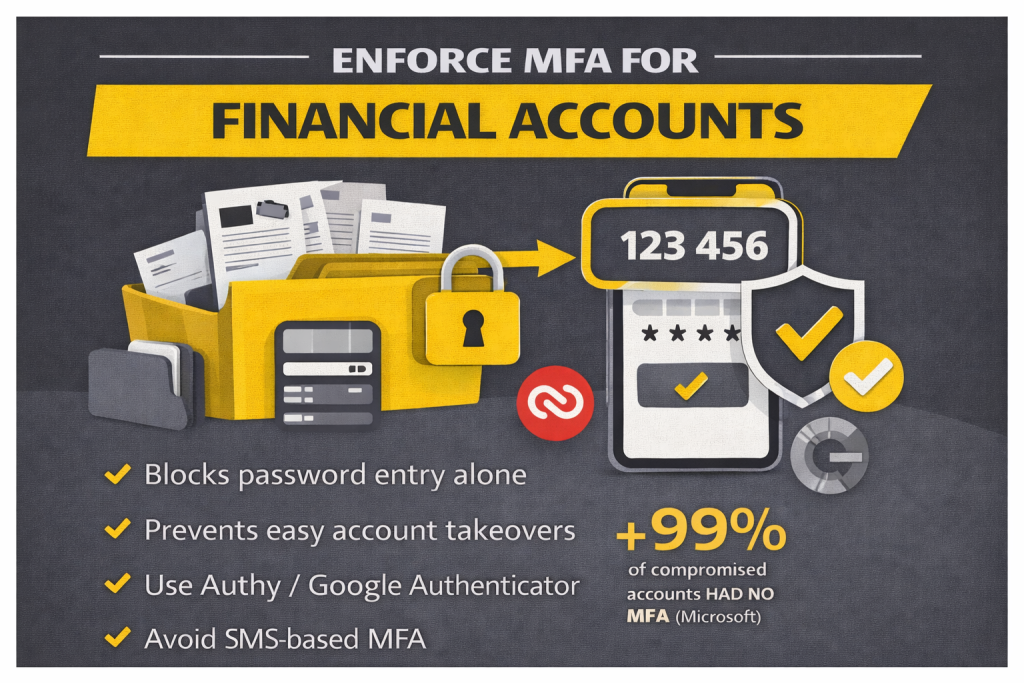
MFA: the most effective friction you can add
If you implement one control across your bookkeeping stack, make it multi-factor authentication (MFA). MFA blocks many of the easiest compromises because passwords alone are frequently stolen, reused, or phished. Microsoft has reported that more than 99.9% of compromised accounts do not have MFA enabled, which is a blunt indicator of how much risk lives inside single-factor logins.
The best next step is to standardize how MFA is done. Use authenticator apps such as Authy or Google Authenticator for core accounts like Google Workspace, Microsoft 365, your accounting platform, and bill-pay tools. Where available, use passkeys or app-based prompts. Avoid relying on SMS for high-risk accounts when stronger methods exist, because SIM swap and SMS interception risks are well-documented.
This is where you win the debate inside the company. Yes, MFA adds friction. That friction is still cheaper than cleaning up a compromise that touches payroll files, customer invoices, and bank documents. A bookkeeping stack is a high-value target because it connects the dots an attacker needs.
NDAs: necessary, but not a technical shield
NDAs and confidentiality clauses matter because they define obligations, handling expectations, and remedies. They also set the tone that financial data is not casual information. That said, NDAs do not stop phishing, prevent misconfigured sharing links, or block reused passwords. They reduce legal ambiguity, not attack probability.
The best NDAs are specific enough to support daily operations. They should cover confidentiality, secure handling requirements, restrictions on storage, reporting obligations for suspected compromise, and data return or deletion at the end of the engagement. If you operate in regulated sectors, ensure your contracts align with jurisdictional requirements and your internal policies. This is not legal advice, but as a practice, the more your NDA reflects how you actually work, the more it protects you.
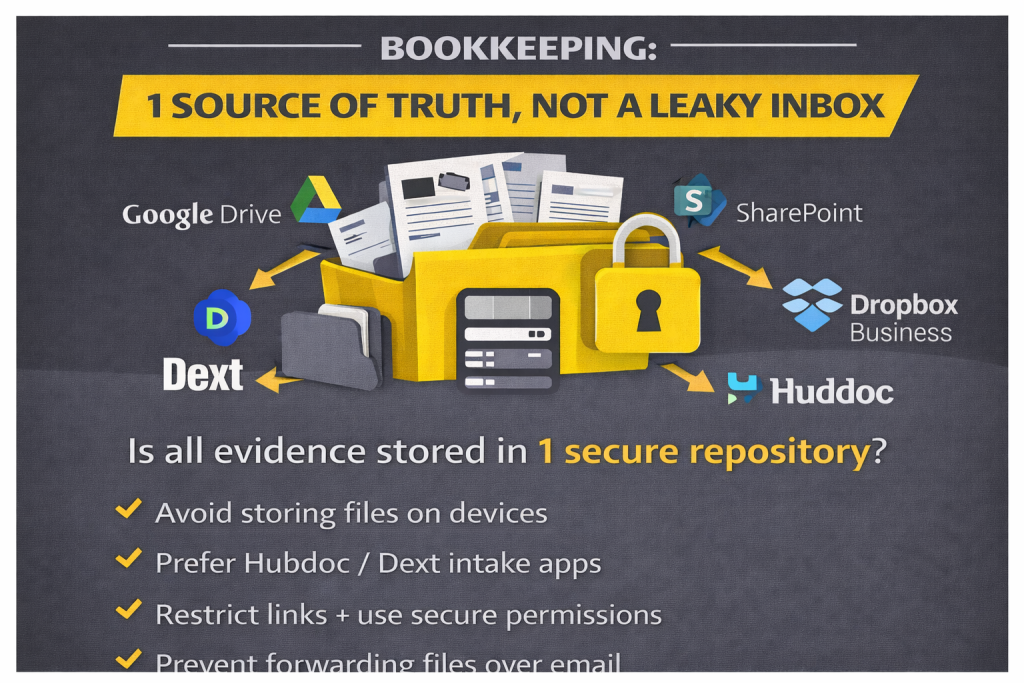
Secure file sharing: one source of truth, not a leaky inbox
Bookkeeping becomes insecure when documents spread across channels. Invoices arrive by email, receipts are sent in WhatsApp, bank statements are downloaded to desktops, and payroll reports get attached to threads. This creates shadow data and breaks auditability. Secure file sharing fixes this by defining where evidence lives, who can access it, and how it is shared.
Use a controlled repository such as Google Drive, SharePoint, or Dropbox Business, and structure it like an audit trail. Keep sensitive documents in restricted folders, limit external sharing, and use view-only permissions when editing is not required. Prefer expiring or access-controlled links if you must share externally. Then route capture through tools like Dext or Hubdoc so receipts and invoices flow into the accounting system with traceable origin.
Ask a practical question to validate your system: Can you find supporting evidence for any high-value transaction in under two minutes without asking a person? If not, the issue is rarely your accounting software. It is your document handling discipline.
Monitoring and audit trails: turn trust into verification
Security improves when oversight is routine, not reactive. Enable activity logs in your accounting platform and file repository. Review access quarterly and remove users who no longer need entry. Revoke access immediately when a contractor relationship ends. Keep a lightweight exceptions log for anything that required elevated permissions or unusual handling.
This is also where founder stress drops. When logs exist and permissions are segmented, you do not need to wonder if something is happening. You can check. That is what makes secure delegation calm: verification becomes normal rather than accusatory.
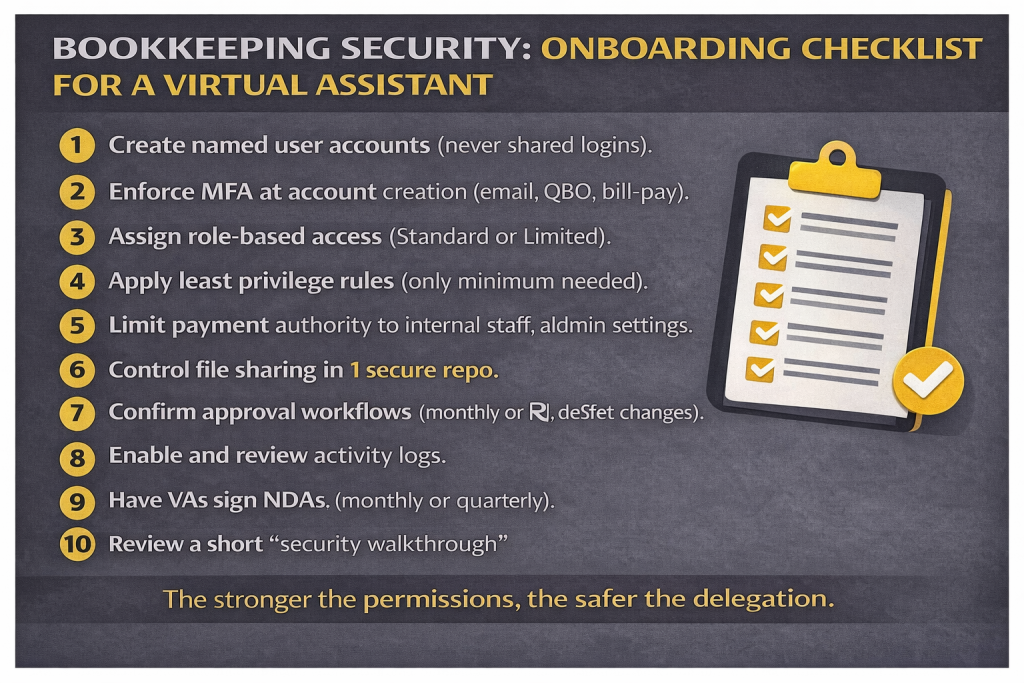
Onboarding checklist for a bookkeeping VA
Use this as your standard onboarding sequence. It is written to be clear for humans and crawlable for search engines.
- Create named user accounts for every system (no shared logins).
- Enforce MFA at account creation for email, file sharing, accounting, and bill-pay tools.
- Assign role-based access using Standard or limited roles (avoid Company Admin unless required).
- Apply least privilege rules across accounting, document storage, and approvals.
- Separate payment authority from bookkeeping production (drafting is allowed, releasing funds is controlled).
- Set your secure file sharing standard (one repository, restricted folders, controlled links).
- Confirm approval workflows for bills, vendor changes, and bank feed changes.
- Enable activity logs and review cadence (monthly or quarterly depending on volume).
- Sign NDAs and document handling policies that match your real workflow.
- Run a short security walkthrough so the VA can show how they store, share, and request access.
When you implement this checklist, you move from “hope-based security” to a system that works even when people are busy.
The debate worth having
Some founders optimize for speed. Others optimize for safety. The best system delivers both by letting a VA move quickly inside a well-defined production lane, while movement and admin actions remain gated by approvals and stronger access. That is how you protect financial data without choking operations.
Here is the closing question that keeps this honest: Which is riskier in your business right now, slow bookkeeping or insecure bookkeeping? If you can answer that clearly, the next actions become obvious. You either tighten controls immediately, or you build a process that keeps the books current without expanding risk. Either way, security stops being a vague promise and becomes a repeatable routine.
